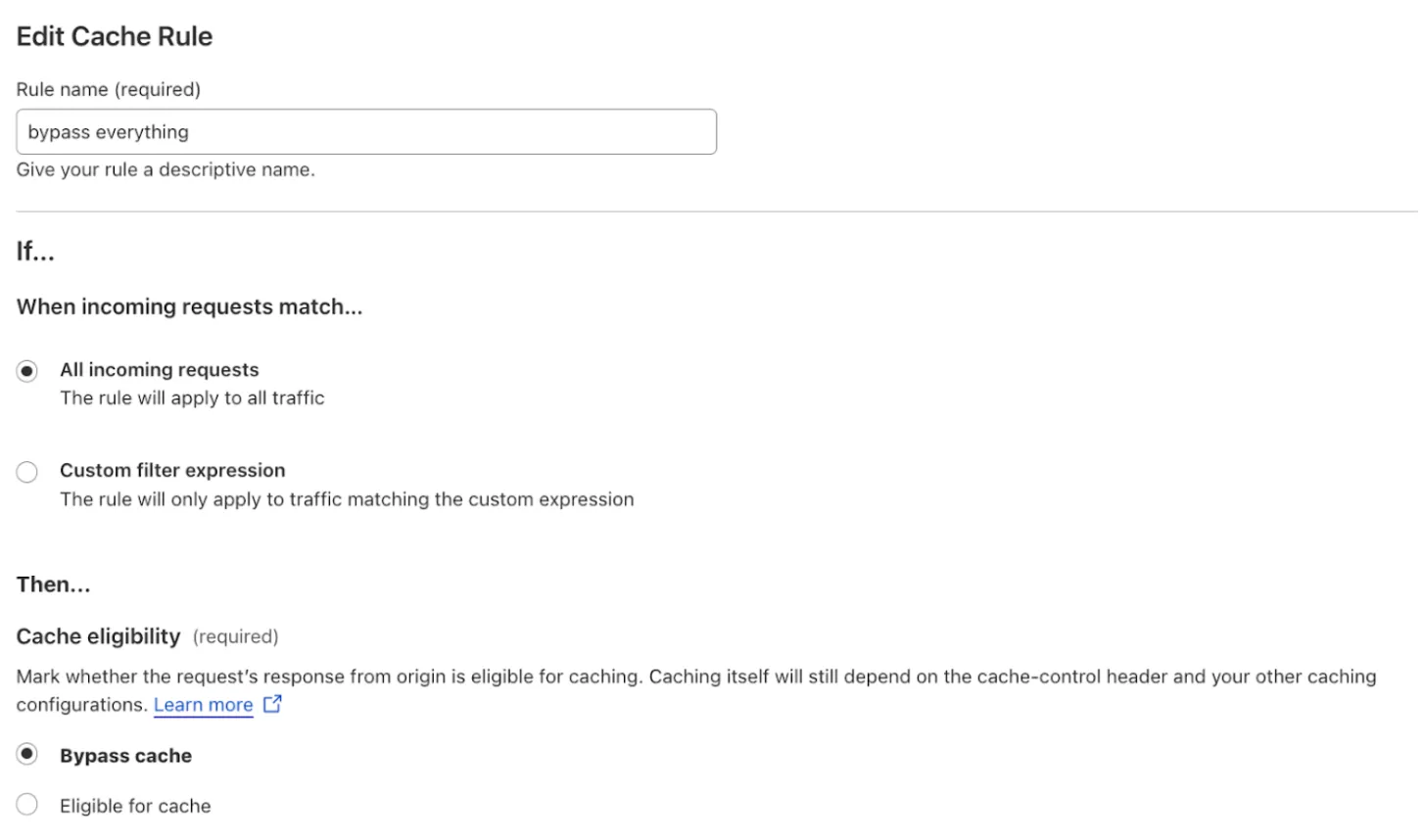
如果您正在从 Page Rules 迁移,Page Rules 和 Cache Rules 之间存在行为变化。
当您创建新的 Cache Rule 并选择 Eligible for cache(符合缓存条件) 时,Cache Everything 功能默认启用。使用 Page Rules 时,您必须专门启用 Cache Everything 选项。
要保持与 Page Rules 相同的行为(即不启用 Cache Everything),您需要在创建任何其他规则之前按此顺序创建这两个特定规则。
多个匹配的 cache rules 可以组合并应用于同一请求。rule 1 匹配后,Cloudflare 将继续评估其他 cache rules 以检查匹配。有关更多信息,请参阅顺序和优先级。
- 输入规则名称,例如
bypass everything。 - 在 When incoming requests match(当传入请求匹配时) 中,选择 All incoming requests(所有传入请求)。
- 在 Then(然后) 下的 Cache eligibility(缓存资格) 部分,选择 Bypass cache(绕过缓存)。
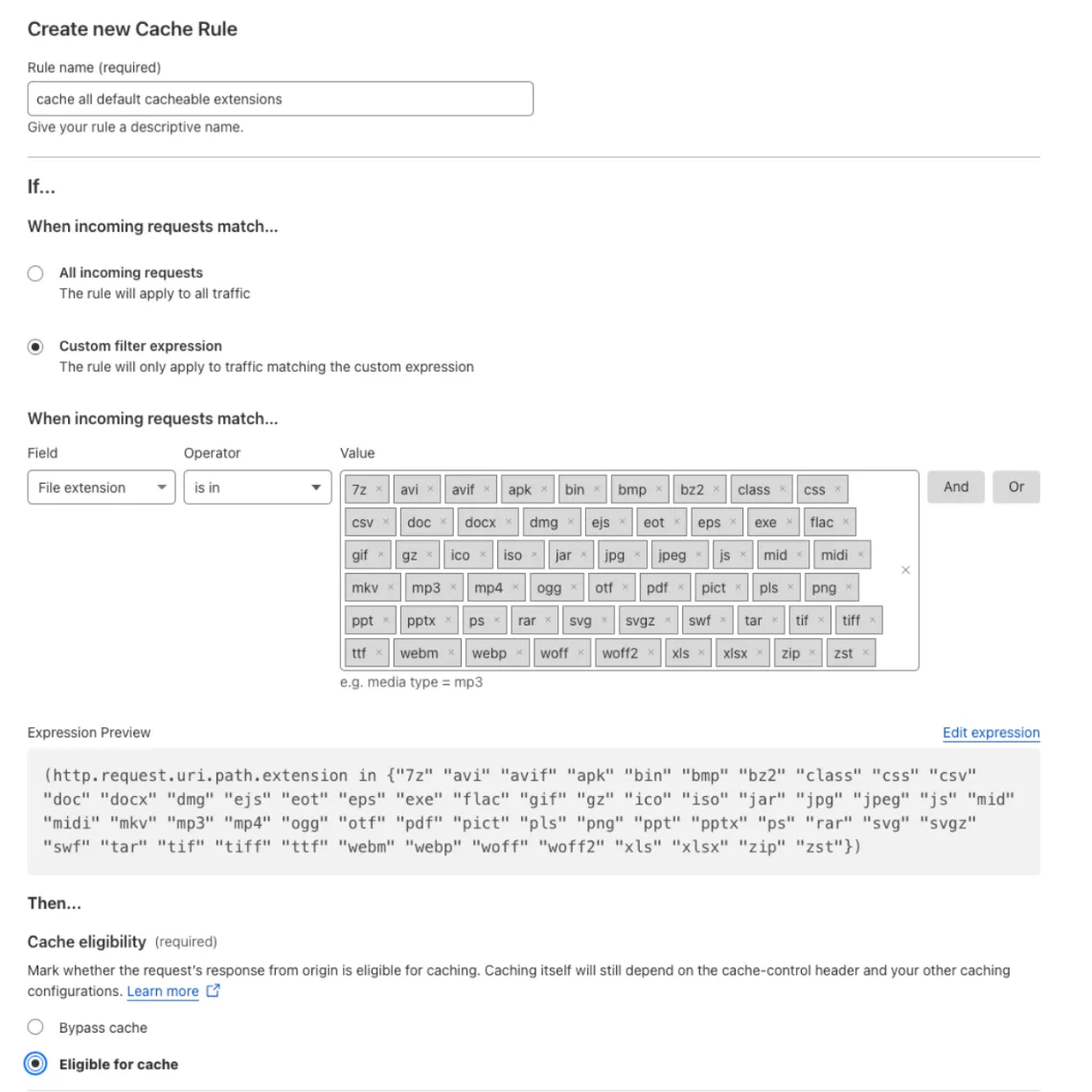
- 输入规则名称,例如
cache all default cacheable extensions。 - 在 When incoming requests match(当传入请求匹配时) 中,选择 Custom filter expression(自定义过滤表达式)。
- 定义以下规则:
- Field(字段):
File extension - Operator(运算符):
is in - Value(值):
7z, avi, avif, apk, bin, bmp, bz2, class, css, csv, doc, docx, dmg, ejs, eot, eps, exe, flac, gif, gz, ico, iso, jar, jpg, jpeg, js, mid, midi, mkv, mp3, mp4, ogg, otf, pdf, pict, pls, png, ppt, pptx, ps, rar, svg, svgz, swf, tar, tif, tiff, ttf, webm, webp, woff, woff2, xls, xlsx, zip, zst
- Field(字段):
如果您愿意,可以选择 Edit expression(编辑表达式) 并粘贴以下表达式:
(http.request.uri.path.extension in {"7z" "avi" "avif" "apk" "bin" "bmp" "bz2" "class" "css" "csv" "doc" "docx" "dmg" "ejs" "eot" "eps" "exe" "flac" "gif" "gz" "ico" "iso" "jar" "jpg" "jpeg" "js" "mid" "midi" "mkv" "mp3" "mp4" "ogg" "otf" "pdf" "pict" "pls" "png" "ppt" "pptx" "ps" "rar" "svg" "svgz" "swf" "tar" "tif" "tiff" "ttf" "webm" "webp" "woff" "woff2" "xls" "xlsx" "zip" "zst"})- 在 Then(然后) 下的 Cache eligibility(缓存资格) 部分,选择 Eligible for cache(符合缓存条件)。